Wall art
Metal, acrylic or wood: choosing a print surface
Choose the surface for the image and the room. Metal, acrylic and wood change how a picture is presented. AutoPrint lets you inspect these formats before choosing a specific size and price.
 Phil Thompson
 Crystal Holman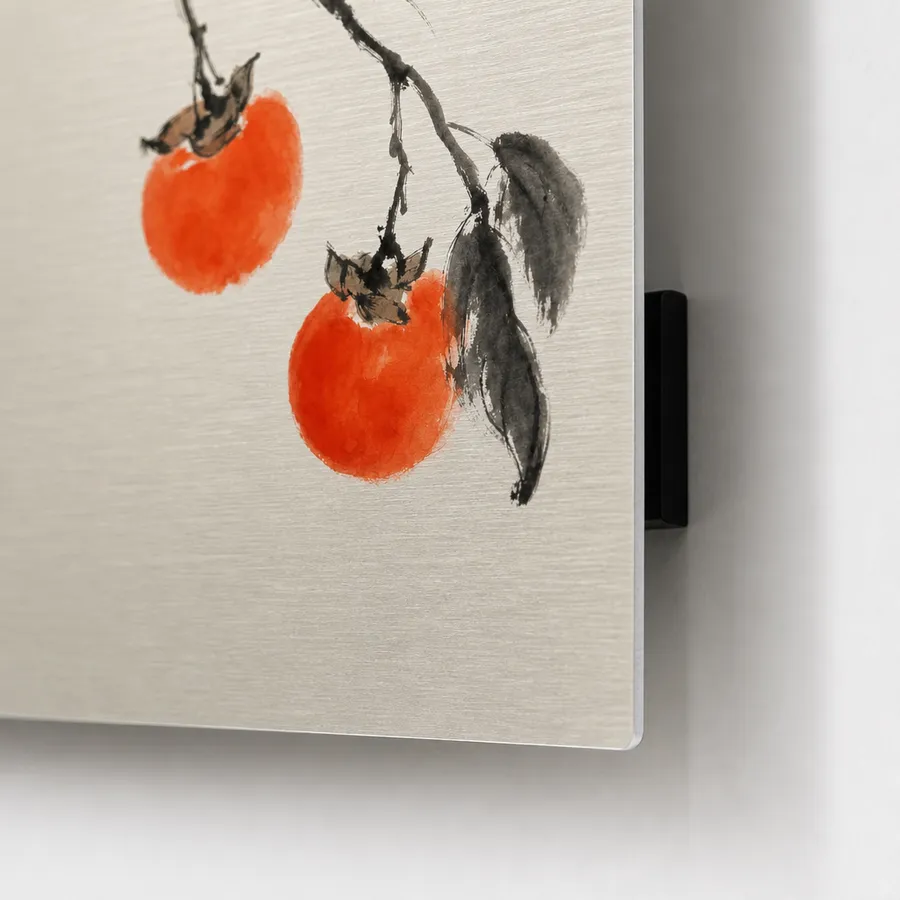
Start with the image’s strongest feature
A strong graphic with clear shapes may suit a different surface than a subtle watercolor. Ask what you want people to notice: the picture, the color, the texture or the object itself.
A surface should support the artwork. It does not fix a low-resolution file, awkward crop or weak composition. Check those before comparing materials.
Compare the actual product specifications
AutoPrint describes its aluminum format as dye-infused and wipe-clean, with a mount that makes the panel stand off the wall. Read the acrylic and wood product pages for their own construction and options.
Do not assume these materials share the same finish or mounting method. A preview cannot establish scratch resistance, outdoor suitability or behavior in direct sun.
Choose at the size you need
A small desk block and a large wall panel are different uses of a picture. For a wall piece, consider the visible space and the viewing distance. For a desk gift, choose a composition that remains readable at a smaller size.
Use the selected product’s price and dimensions. Compare the final physical choices rather than a starting price from a different size.
How do I compare print materials using the same image?
Start with the same artwork and intended use, then inspect the available metal, acrylic and wood options. Compare the dimensions, construction and mounting details on each product page. A small desk piece and a wall panel should not be treated as the same choice just because they use the same picture.
Check the crop and visible detail on each preview before comparing prices. A digital render can help you judge placement, but it cannot show how a surface feels or establish outdoor suitability. Choose from the documented product specifications when those properties matter.
- Use the same artwork and intended placement for the comparison.
- Read each selected product’s dimensions and mounting details.
- Check the preview and final price for that particular option.
Common questions
- Does material change the required resolution?
- The physical size still determines how far the pixels spread. Material affects presentation, not the amount of original detail.
- Can I use one image on all three surfaces?
- You can inspect available formats in the studio. Review the crop and options separately for each one.